Atelier Research Poster Template
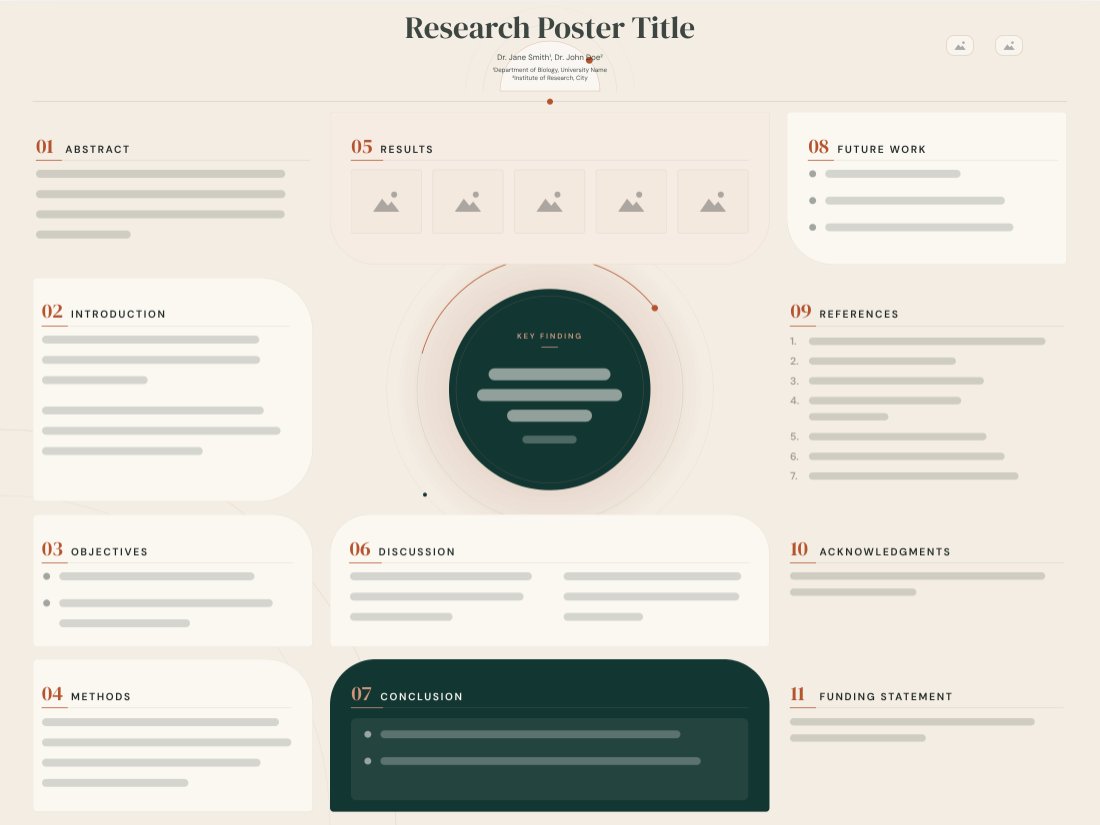
Pro template. Field: General. Layout: Editorial cards with circular hub.
Atelier is a magazine-style layout on ivory paper: asymmetric cards with soft curves, numbered section labels and a large circular key-finding hub. Deep green and terracotta give it a premium, printed feel.
Best for: Keynote-adjacent sessions, award submissions and anyone who wants their poster to look designed rather than templated.
Size: 48 × 36 in landscape (122 × 91 cm, the most common US landscape size).
PowerPoint download is included in Pro Lifetime; you can try Atelier in the editor before buying.
Layout and sections
Editorial cards with circular hub. Preview rendered in the editor at 48 × 36 in landscape; the layout reflows to every size.
- Abstract
- Introduction
- Objectives
- Methods
- Results
- Discussion
- Conclusion
- Key Finding
- References
Tips for this template
- Write the key finding as one sentence; the circle is the first thing people read.
- Keep numbered labels on to guide the reading order.
Open Atelier at another size
- Landscape
- 48 × 36 in | 56 × 42 in | 36 × 24 in | 48 × 24 in | 56 × 36 in
- Portrait
- 36 × 48 in | 42 × 56 in | 24 × 36 in | 36 × 56 in
- ISO portrait
- A0 portrait | A1 portrait | A2 portrait
- ISO landscape
- A0 landscape | A1 landscape | A2 landscape
- Square
- 42 × 42 in | 48 × 48 in
Similar templates
Related guides
- Research poster layout guide: Column grids, reading order and five layouts that reliably work.
- Anatomy of a great research poster: The parts every poster needs, word counts and how much space each one gets.