Elegant Academic Research Poster Template (Free)
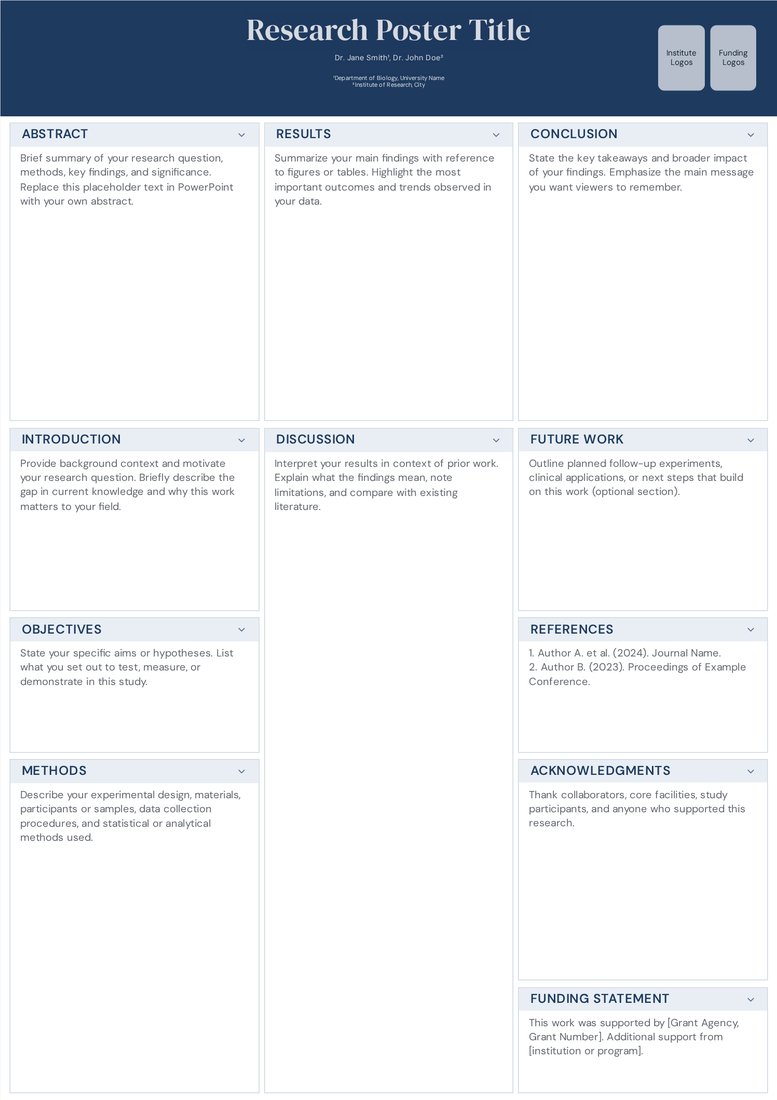
Free template. Field: General. Orientation: Portrait.
Elegant Academic is the editor's default: a navy title band, a slim logo row and three evenly weighted columns. It reads left to right in the order reviewers expect, so you can concentrate on content instead of layout decisions.
Best for: First-time presenters and anyone who needs a safe, professional A0 portrait poster by tomorrow.
Edit Elegant Academic in the editor
Free PowerPoint download, no sign-in: Download Elegant Academic PPT
Layout and sections
3 columns.
- Abstract
- Introduction
- Objectives
- Methods
- Results
- Discussion
- Conclusion
- Future Work
- References
- Acknowledgments
- Funding Statement
Tips for this template
- Keep the abstract under 150 words; the left column is narrow and long abstracts push Methods below eye level.
- Use the middle column for your main figure and let Results take roughly 60 percent of its height.
Download Elegant Academic PowerPoint by size
36 × 48 in .pptx | 48 × 36 in .pptx | 42 × 56 in .pptx | 56 × 42 in .pptx | 24 × 36 in .pptx | 36 × 24 in .pptx | 48 × 24 in .pptx | 42 × 42 in .pptx | 48 × 48 in .pptx | A0 portrait .pptx | A0 landscape .pptx | A1 portrait .pptx | A1 landscape .pptx