A Canva alternative for scientific and research posters
Quick answer
Is Canva good for scientific posters?
Canva works for scientific posters, especially outreach and visually led ones, and it offers real-time collaboration and a very large general asset library. PosterScientist is narrower: research poster templates with academic sections, conference print sizes such as A0 and 48 × 36 in, and free editable PowerPoint downloads with no sign-in. Choose by whether you need general design tools or a structured research poster.
Canva is a general-purpose design tool used for everything from social media graphics to presentations, and many researchers already have an account. PosterScientist does one thing: academic posters, with templates whose sections follow research conventions and files sized for conference boards.
This page compares the two fairly, says when Canva is the better choice, and explains how to move an existing Canva poster into a PowerPoint file you can keep editing.
Browse free poster templates · Open the editor
PosterScientist vs Canva at a glance
| Feature | PosterScientist | Canva |
|---|---|---|
| Main purpose | Academic and conference posters only | General graphic design: social media, presentations, print and video |
| True print-size canvas | Yes: A0, A1 and A2 plus inch sizes such as 36 × 48, 48 × 36 and 42 × 42 in, or a custom size | Yes: custom dimensions in inches, centimetres or millimetres |
| Research poster templates | Every template is a research poster, including case report, clinical trial and engineering layouts | Large general template library that includes research and science poster designs |
| Section reflow | Yes: sections repack automatically when you change columns or size, or add a box | Manual: you move and resize elements yourself |
| Editable .pptx export | Yes: native PowerPoint at the real poster size; free templates download without sign-in | Yes: PowerPoint download is available, converted from Canva's own format |
| Scientific figures and icons | None built in; insert your own figures in PowerPoint | Large general library of photos, icons and illustrations, some on paid plans |
| Equations | Not built in; use PowerPoint's equation editor after download | No native LaTeX typesetting; equations are usually added as images |
| Collaboration | No real-time co-editing; share the .pptx and co-author in PowerPoint or Microsoft 365 | Real-time co-editing and comments |
| Price model | Free templates, editor and PowerPoint downloads; Pro Lifetime is a one-time payment for 7 premium designs and brand kits | Free plan plus paid subscription plans |
Two templates Canva users often start with
-

Modern Infographic (Free)
Free. An infographic-style layout with a wide central column for big numbers, close to the look many people build in Canva, but already at A0.
-
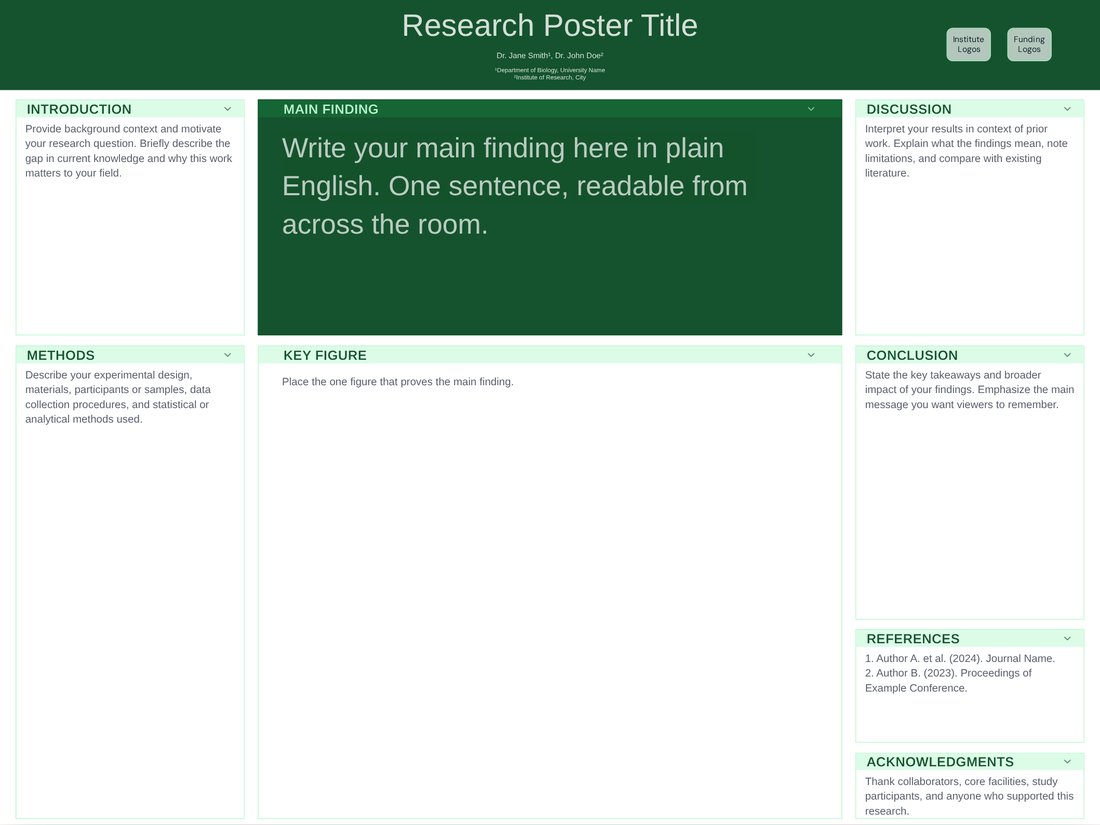
Billboard (Free)
Free. A better-poster layout with one huge main finding, for when visual impact matters as much as the details.
When Canva is the better choice
- Outreach and public-engagement posters where photos, illustrations and visual impact matter more than academic structure.
- Projects where several people need to edit the same design at the same time.
- When you also need matching social media graphics, flyers or slides in one place.
- When your institution's communications team already provides branded Canva templates.
When PosterScientist is the better fit
- You need an exact conference size (A0, 48 × 36 in or 36 × 48 in) and a file the print shop accepts.
- Your supervisor or co-authors expect a PowerPoint file they can edit.
- You want sections that already follow research structure, such as a case report timeline or a CONSORT column, without designing them.
- You would rather not start a subscription for a single poster.
How to move a Canva poster to PosterScientist
Canva can also download a design as a PowerPoint file directly. If you go that way, check fonts, spacing and the slide size after conversion before sending it to print.
- In Canva, download your design as a PDF to keep as a reference.
- In PosterScientist, open a template at the size in your conference instructions, then set the number of columns and the section titles to match your Canva layout.
- Download the PowerPoint file and paste your text from Canva into the matching text boxes.
- Re-insert figures from their original files (SVG, PDF or 300 dpi images) rather than copying them out of Canva, so they print sharply.
- Replace logos with vector files from your communications office, then export a PDF from PowerPoint for printing.
Print checks that apply in either tool
- Design at the final size rather than scaling up a small page.
- Keep body text at 24 pt or more at full size.
- Use images at 300 dpi at the printed size.
- Export a print-quality PDF and check it at 100% zoom before ordering.
Frequently asked questions
Does Canva have scientific poster templates?
Yes. Canva's library includes research and science poster designs among its general templates. Every PosterScientist template is a research poster, with sections such as methods, results and case report timelines built in.
Can I export a Canva poster to PowerPoint?
Canva offers a PowerPoint download, but the design is converted from Canva's format, so check fonts and positions afterwards. PosterScientist builds the .pptx natively at the poster's real size.
Is PosterScientist free?
The editor and all free templates cost nothing, and free templates download as editable PowerPoint files without signing in. Exporting a customised poster from the editor needs a free account. Pro Lifetime is a one-time payment ($29 launch price, regular $149; ₹1,999 in India) for 7 premium templates and brand kits, with no subscription.
Can several co-authors edit a PosterScientist poster at once?
Not in real time. Download the PowerPoint file and co-author it in Microsoft 365 or pass it around. If simultaneous editing is essential, Canva is the stronger choice.
Which is better for a conference poster?
For a structured research poster at an exact board size that co-authors edit in PowerPoint, PosterScientist. For a design-led outreach poster, or a team that already works in Canva, Canva.