Modern Infographic Health Sciences Poster Template (Free)
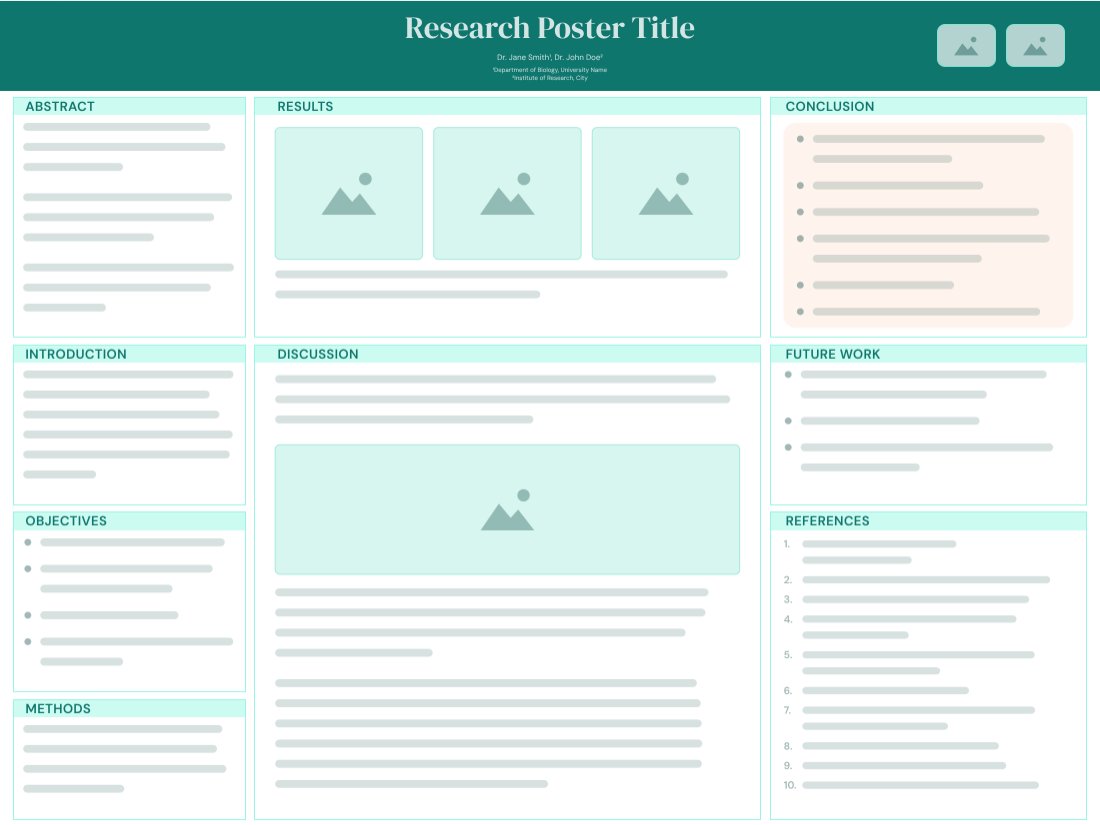
Free template. Field: Health Sciences. Layout: 3 asymmetric columns.
Modern Infographic uses a teal hero header and three asymmetric columns: a narrow intro column, a wide central results column and a summary column. Orange accents give icons and numbers somewhere to stand out.
Best for: Health sciences, outreach and infographic-style posters built around a few big numbers.
Size: 48 × 36 in landscape (122 × 91 cm, the most common US landscape size).
Download PPT (48 × 36 in). Free PowerPoint download, no sign-in. Or fill it in with the free online editor; your first export from the editor (PPTX or SVG) needs no account, and a free account keeps exports free after that.
Layout and sections
3 asymmetric columns. Preview rendered in the editor at 48 × 36 in landscape; the layout reflows to every size.
- Abstract
- Introduction
- Objectives
- Methods
- Results
- Discussion
- Conclusion
- Future Work
- References
- Acknowledgments
Tips for this template
- Lead the central column with one large statistic before the supporting chart.
- Turn on section icons in the editor to reinforce the infographic look.
Download Modern Infographic PowerPoint by size
- Landscape
- 48 × 36 in .pptx | 56 × 42 in .pptx | 36 × 24 in .pptx | 48 × 24 in .pptx | 56 × 36 in .pptx
- Portrait
- 36 × 48 in .pptx | 42 × 56 in .pptx | 24 × 36 in .pptx | 36 × 56 in .pptx
- ISO portrait
- A0 portrait .pptx | A1 portrait .pptx | A2 portrait .pptx
- ISO landscape
- A0 landscape .pptx | A1 landscape .pptx | A2 landscape .pptx
- Square
- 42 × 42 in .pptx | 48 × 48 in .pptx
Similar templates
Related guides
- Making a results table: Paste numbers from Excel or Google Sheets and style a table that reads from two metres.
- Data visualisation on posters: Charts that read from across a room: line weights, labels and one highlighted comparison.